 Ilayantech
GST Billing Software for Multiple Branches: A Practical Guide for Indian Businesses (2027)
Good GST billing software for several branches gives each branch its own clean invoices and day-close, while giving you one combined view. Look for GST-ready invoices, returns, split payments, roles and exports your accountant can use. For the tax rules themselves, always confirm with your accountant.
Billing is simple when you have one counter. It gets more complicated with every branch you add. Suddenly you have several tills, several staff, different stock, and one set of GST obligations that your accountant needs clean numbers for. That's where GST billing software for multiple branches earns its place.
This guide explains what to look for if you run shops, clinics or pharmacies in India, as you plan for 2027. A quick note first: this is general guidance, not tax advice. For the rules themselves, your accountant is the right person to ask.
What GST billing software for multiple branches should do
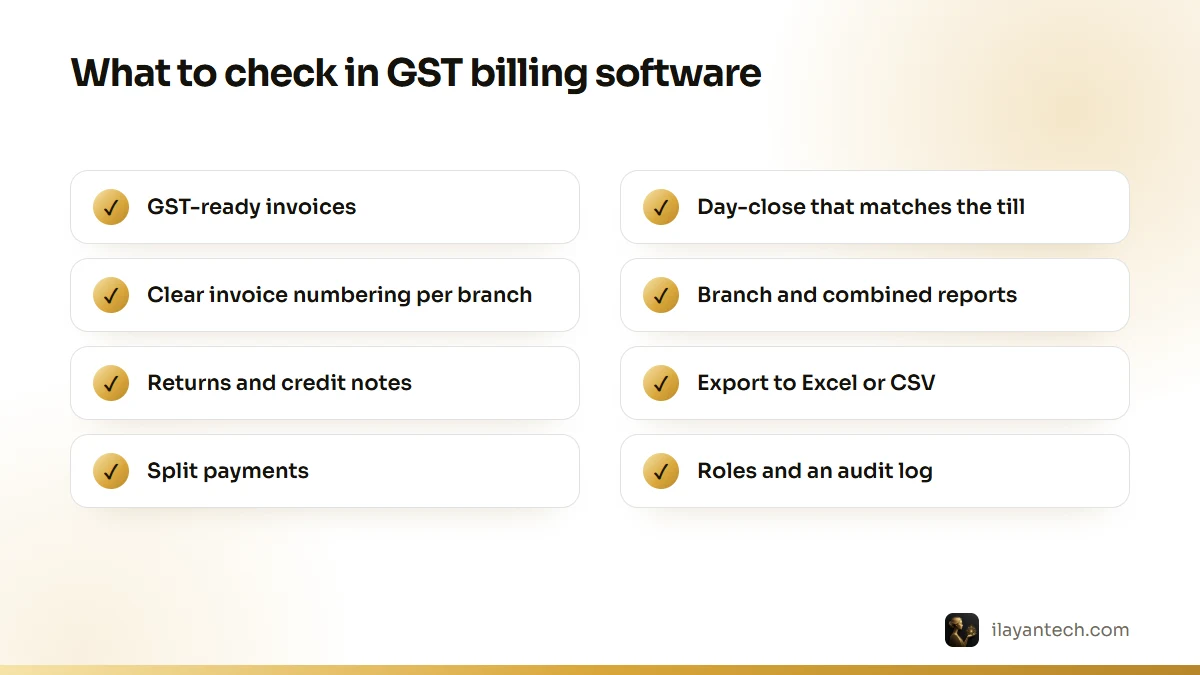
At minimum, good GST billing software should:
- Create GST-ready invoices quickly, with the right details and tax lines.
- Handle returns and credit notes properly, not as an awkward workaround.
- Support split payments, like part cash and part UPI.
- Let you apply discounts in a controlled way.
- Run a day-close so the cash and digital payments match what the system says.
- Produce reports your accountant can use.
For a single shop that's most of the job. With several branches, a few more things matter.
What changes when you have multiple branches
Each branch needs its own billing, clearly separated
Staff at each branch should bill independently, with invoices that can be traced to the branch that issued them. That matters for your records and for working out how each location is doing.
You need a central view
As the owner, you want one place to see sales across every branch and filter down to one. If you have to log into each branch separately, or combine spreadsheets at month-end, you're back to the problem you were trying to solve.
Prices and items should be consistent
A central item list, with the right tax rates attached, saves you from the same product being billed differently at two branches. It also makes reporting far cleaner. Where prices genuinely differ by branch, the software should let you handle that deliberately rather than by accident.
Staff access should match their role
A cashier should bill. A manager might approve returns and discounts. An owner sees everything. Look for roles and permissions, ideally per branch, plus an audit log of who did what.
Stock moves between branches
When stock moves from one branch to another, the software should record it at both ends. How that's treated for GST is something to confirm with your accountant, but a clear record of what moved, when, and between whom is what they'll need. Our guide to multi-branch inventory and billing software shows what a good transfer looks like.
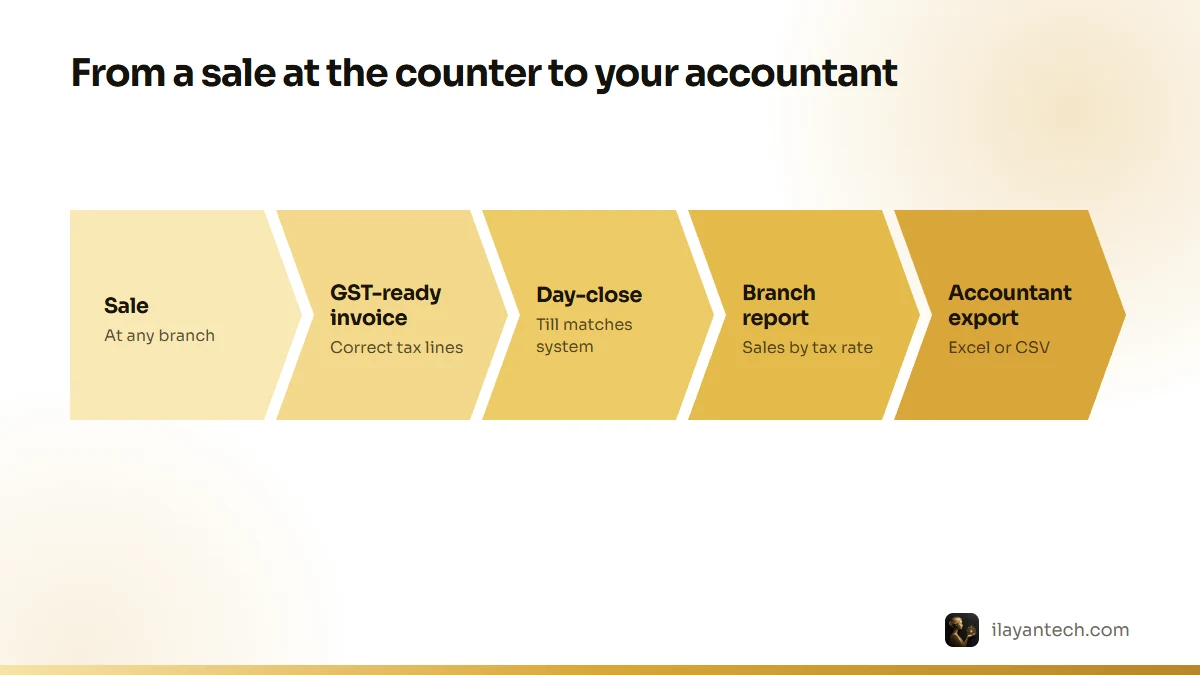
Day-close: the habit that keeps books honest
A proper day-close is one of the most useful features and one of the most often overlooked. At the end of each shift, the cashier confirms what was collected in cash and by other methods, and the system compares that with what it recorded. Differences show up the same day, while someone can still remember why.
Without it, small mismatches pile up for a month and become a headache at reconciliation time.
Returns, discounts and split payments
These three cause more billing mess than anything else, so test them in any demo.
- Returns. Can you return part of an invoice? Does it adjust stock and create the right record?
- Discounts. Can you limit who gives them, and are they visible in reports?
- Split payments. Can a customer pay part by cash and part by UPI, with both recorded correctly?
Reports your accountant will like
Ask your accountant what they need before you choose software. In general, helpful reports include:
- Sales by branch, date and tax rate
- Returns and credit notes
- Payment method summaries
- Item-wise sales
- Exports to Excel or CSV so numbers can be used directly
If the software can hand them clean exports, you'll save time at every filing period, and so will they.
Checklist for a demo
| Ask to see | What a good answer looks like |
|---|---|
| A GST invoice being created | Fast, clear, with correct tax lines |
| A partial return | Stock and records update correctly |
| A split payment | Both methods recorded |
| A day-close | Compares collected amounts with the system |
| One owner view across branches | Filterable by branch and date |
| An export for your accountant | Excel or CSV, broken down by tax rate |
| Different user roles | Cashier, manager and owner see different things |
Why billing and stock should live together
When billing and stock are separate, every sale means two entries, and the two never quite agree. When one system handles both, a sale reduces stock automatically, a return puts it back, and your reports reflect what really happened. For a business with several branches, that single change removes a whole category of reconciliation work. It's one of the strongest reasons to choose GST billing software that also manages inventory. We explain the stock side in our multi-branch inventory guide.
Invoice numbers across branches
With several branches, invoice numbering deserves a moment's thought. A clear series for each branch, so every invoice can be traced to where it was issued, makes records, audits and customer queries much easier. Ask your accountant how they want numbering handled, and check that the software supports it without manual typing.
A monthly routine with your accountant
The best use of good GST billing software is a calm, repeatable monthly routine:
- Confirm every branch has completed its day-close.
- Review returns and credit notes for the month.
- Export sales by branch and tax rate to Excel or CSV.
- Send it to your accountant with a short note on anything unusual.
- Keep the export, so you can answer questions later.
When billing is clean from day one, this takes an hour. When it isn't, it can take days.
Common mistakes
- Choosing software before asking your accountant. A five-minute chat can save you from a bad fit.
- Messy item and tax setup. Wrong tax rates on items spread errors across every invoice. Check them carefully at the start.
- No day-close habit. The feature is only useful if people use it every day.
- Too many people with full access. Limit discounts, returns and edits to the right roles.
- Switching all branches at once. Start with one and learn first.
Free download: our two-page multi-branch software checklist (PDF) covers billing, stock, access and the questions to ask every vendor.
A calm way to roll out
- Talk to your accountant about what they need.
- Set up items, prices and tax rates centrally and double-check them.
- Pilot at one branch for a week or two, with day-close every day.
- Review the reports with your accountant before expanding.
- Add the other branches one at a time.
If you're still on spreadsheets for billing, our guide to the signs you've outgrown them can help you decide whether it's time to switch. And if you sell medicines, also read about pharmacy inventory software with expiry tracking.
Where ProjectRD fits in
ProjectRD brings GST-ready billing together with inventory, stock transfers, staff roles and reports across every branch in one dashboard. It covers returns, split payments and day-close, and lets you export your data to Excel or CSV for your accountant. Every module is included on every plan, and plans are flat rather than per-seat.
If you'd like to see how it would work for your branches, or you need something built around a very particular process, get in touch.
Frequently asked questions
What is GST billing software?
It is software that creates invoices with the correct GST details, keeps records of sales, returns and payments, and produces reports you or your accountant can use for your tax work. For several branches it should also keep each branch's billing organised and give you a combined view.
Do I need separate billing software for each branch?
No. One system can handle every branch, with each branch billing separately and you seeing everything together. That is usually easier to manage than separate tools.
How does GST registration work for multiple branches?
It depends on your situation, including which states your branches are in. This is a question for your accountant or tax adviser. What the software should do is let you set up billing in the way they advise, and produce clear reports for each branch.
What happens when stock moves between branches?
The software should record the movement at both ends. How such transfers are treated for tax depends on your situation, so confirm with your accountant. Good software gives them a clear record to work from.
Can I export reports for my accountant?
You should be able to. Look for exports to Excel or CSV, with sales broken down by branch, date and tax rate, so your accountant does not have to rebuild the numbers.