 Ilayantech
Web Application Development Process: From Idea to Launch in 6 Steps (2027 Guide)
A good web application project moves through six steps: discover the problem, agree a small first scope, design it, build it in short cycles, test it, then launch and keep improving. Your biggest contributions are clear answers, quick decisions and honest feedback.
If you've never commissioned software before, the web application development process can feel like a black box. You hand over an idea, wait a while, and something appears. It doesn't have to be like that. A well-run project is a series of small, visible steps, and you should know where you are at every point.
Here's how a project usually unfolds, from first idea to launch, and what you'll be asked to do. It's a useful guide if you're planning something for 2027.
First, is it a website, a web application or a mobile app?
These words get mixed up, and the difference matters because it changes the effort involved.
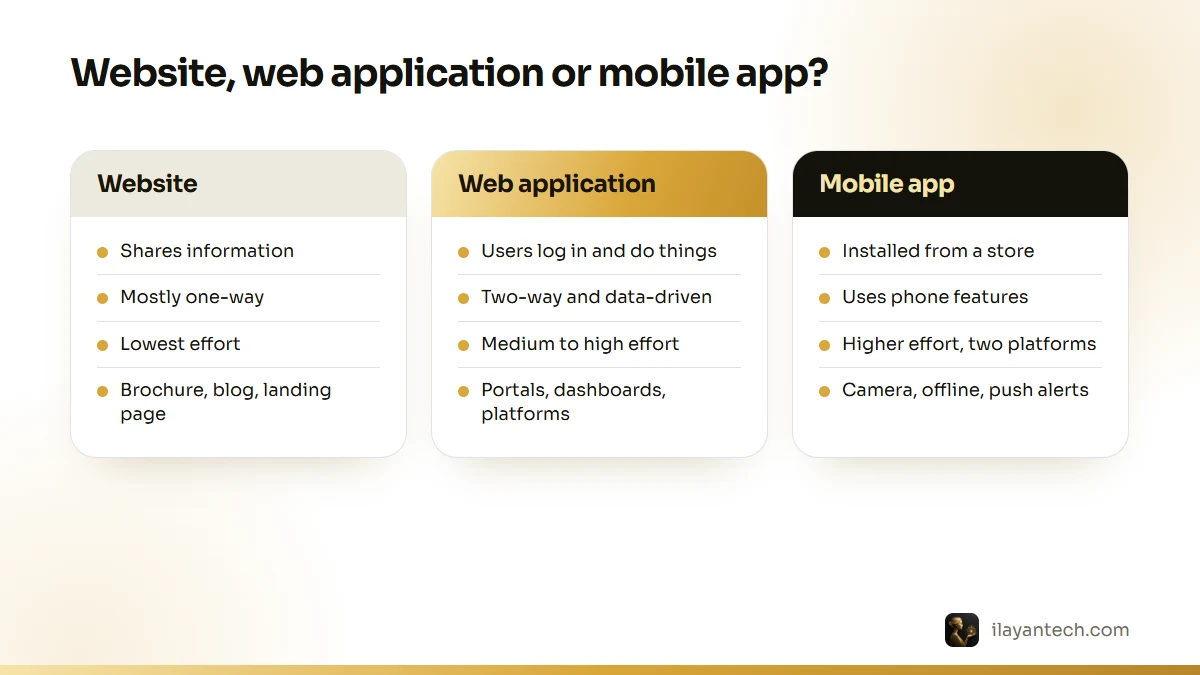
A website mostly shares information. A web application lets people log in and do things, like book, pay, track or manage. A mobile app is installed on a phone and can use phone features. Many businesses start with a web application, because it works on any device, and add a mobile app later if they need one.
The web application development process in 6 steps
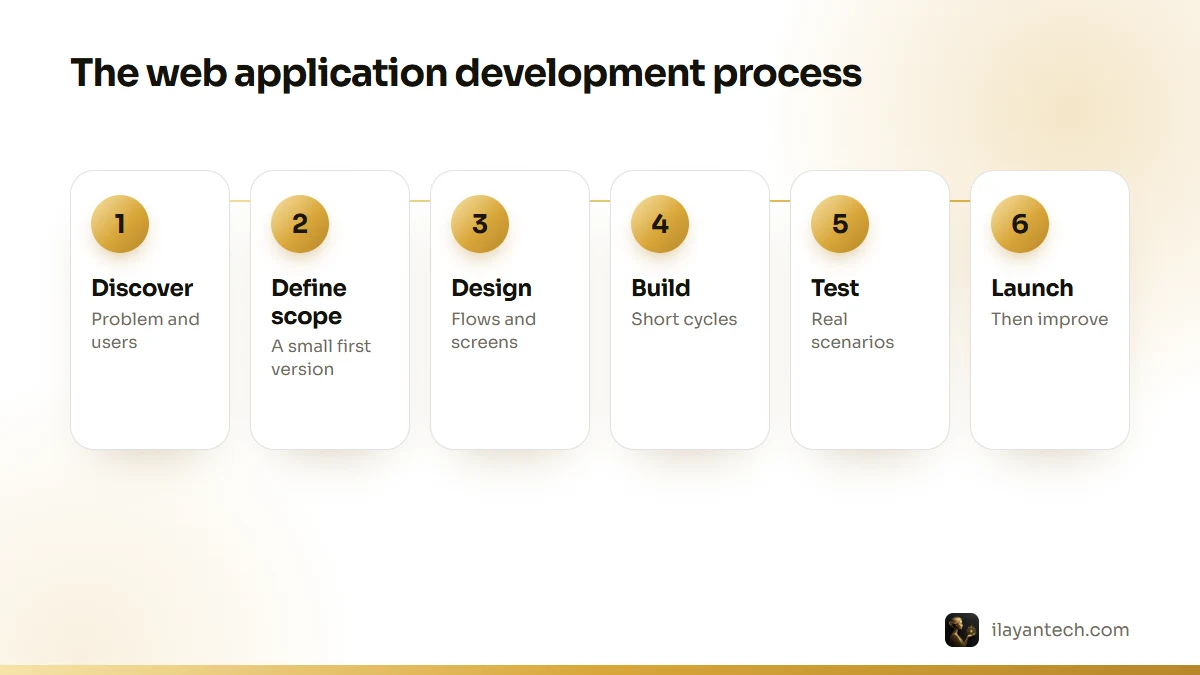
Step 1: Discover
Before anyone designs or builds, a good team tries to understand the problem. Who will use this? What do they do today? Where does it hurt? What tools are involved? This usually means conversations, a look at how things currently work, and sometimes watching people do their jobs.
What you do: answer honestly, share your current tools and files, and introduce the team to the people who'll actually use the software.
What you get: a written summary of the problem, the users and the goals, which both sides agree on.
Step 2: Define the scope
This is where you decide what goes into the first version. The temptation is to include everything. The smarter move is the smallest version that solves a real problem. That's often called an MVP, or minimum viable product.
List everything you'd like, then sort it into three groups: must have for launch, should have soon after, and could have later. Be ruthless with the first group.
What you do: make hard choices about what matters most.
What you get: a scope document, a rough plan in phases, and a clearer sense of cost. For more on that, see our guide to custom software development cost.
Step 3: Design
Now the team shows you how it will work. Usually that starts with the flow, meaning the steps a person takes to do something, then simple sketches of each screen, then the full visual design.
It's much cheaper to change a drawing than finished software, so this is the time to ask "what if?" and click through a prototype.
What you do: review the designs, ask your team to try them, and give clear feedback.
What you get: approved screens and flows that the builders will follow.
Step 4: Build
Developers turn the designs into working software. Good teams do this in short cycles, often one or two weeks, and show you something that works at the end of each. That way you see progress and can correct course early, rather than discovering a misunderstanding months later.
What you do: review each cycle's results, answer questions promptly, and resist adding new ideas mid-cycle. Put them on the list for the next one.
What you get: a growing, working product you can actually click through.
Step 5: Test
Testing happens throughout, but there's also a dedicated stage before launch. The team checks that features work, that nothing breaks when people do unexpected things, that it works on different devices and browsers, and that it's secure and reasonably fast.
You should test too, with real scenarios from your business. The best test is asking someone who'll use it daily to do their normal tasks.
What you do: run real examples and report anything odd.
What you get: a list of issues found and fixed, and confidence it's ready.
Step 6: Launch and improve
Launch isn't the end. The team sets up the live system, moves over any existing data, and helps your people get started. Then the real learning begins, because real users will find things nobody predicted.
Plan for the weeks after launch: fixing small issues, answering questions, and deciding what to improve next based on actual use.
What you do: train your team, watch how it's used, and collect feedback.
What you get: a live product, documentation, and a plan for support and improvements.
Who's usually involved
| Role | What they do |
|---|---|
| Project lead | Plans, communicates and keeps things on track |
| Designer | Shapes how it looks and how people move through it |
| Developers | Build the software |
| Tester | Checks that it works and catches problems |
| You, or your owner | Provides knowledge, decisions and feedback |
The last row is the one people underestimate. You'll need one person on your side who can answer questions and make decisions quickly.
What usually causes delays
- Slow decisions or feedback. A team waiting for answers can't move.
- Changing scope mid-project. Every new idea takes time, so save them for later phases.
- Surprises in other systems. Connections to payment, messaging or accounting tools often take longer than expected.
- Messy existing data. Cleaning and moving it can take as long as building screens.
- Too many people deciding. One clear owner works better than a committee.
Before you start: a quick checklist
- One-page description of the problem and who it's for
- A list of tools and files used today
- The three things the first version must do
- One person who owns the project on your side
- A rough budget and timing
- Clear agreement on who owns the code and data
If you're still comparing options, see custom software vs off-the-shelf software to check that building is the right call, and use our 12 questions for choosing a software development company when you talk to builders.
Choosing technology: keep it boring
You don't need to understand every technical choice, but it helps to know the principle: prefer proven, widely used tools over fashionable ones. Software built on well-known technology is easier to maintain, easier to hand to another team, and less likely to be abandoned. Ask your builders why they've chosen what they've chosen, and what would happen if you needed someone else to take over.
What a good handover includes
- The source code, in a repository you own
- Simple documentation: how it's set up, how to run it, where things live
- Accounts and access for hosting, domains and any services used
- A walkthrough for your team
- A written plan for support and updates
Getting this right at the end protects you for years.
Why changes cost more later
Changing your mind on paper is cheap. Changing it in a design is fairly cheap. Changing it after the software is built can be expensive, because many parts may depend on each other. That's why the early steps, discovery, scope and design, are worth taking slowly, even when you're impatient to see something working.
After launch: keeping it healthy
Software needs looking after, like a building. Hosting, security updates, bug fixes, backups and small improvements are ongoing. Agree upfront how this works and what it costs, so there are no surprises. If you're curious about adding smart features later, read our honest take on AI in business software.
Ready to talk through your idea?
If you have an idea and want to know what the process would look like for it, tell us what you're trying to build. We'll ask a few questions, give you an honest view, and tell you what we'd do first.
Frequently asked questions
What is a web application?
A web application is software you use in a browser, usually after logging in, where you do things rather than just read. Online banking, booking systems, dashboards and billing tools are all web applications.
How long does it take to build a web application?
It depends on scope. A focused first version of one tool can take weeks. A larger platform takes months. Starting with a small first release and improving it is usually faster and safer than building everything at once.
What is an MVP?
MVP stands for minimum viable product: the smallest version that solves a real problem for real users. It lets you learn from actual use before you invest in everything else.
What will I need to do during the project?
Answer questions, review designs, test early versions, and make decisions quickly. Projects slow down most when feedback and decisions are slow.
Who owns the finished application?
You should. Agree it in writing before the work starts, along with access to the source code, documentation and any accounts set up for the project.